
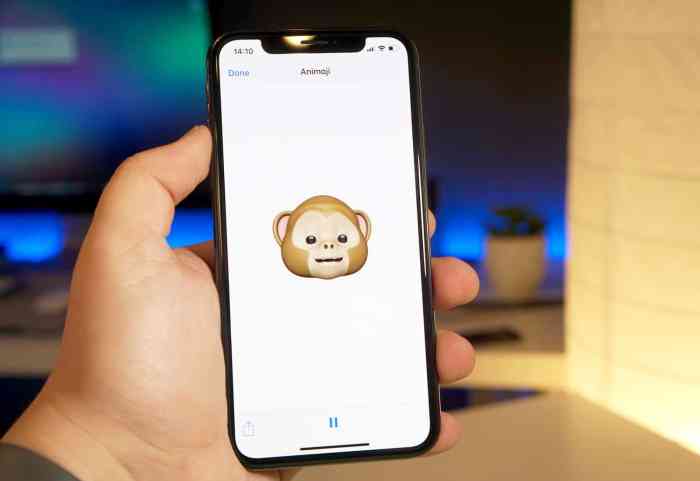
How To Switch Animoji Characters After Recording
How to switch Animoji characters after recording? It’s a question many iPhone users have asked, especially those who love to add a bit of personality to their videos. While you can’t switch Animoji characters on the fly during recording, there are some clever workarounds and editing techniques that can achieve the same result.
This guide will explore those options and provide you with the tools to create fun and engaging Animoji videos.
Think of it this way: Animoji recording is like a live performance. You choose your character, get into the groove, and deliver your message. But what if you want to play multiple roles in your video? That’s where the post-production magic comes in.
We’ll cover how to seamlessly combine separate Animoji recordings into one cohesive video, adding variety and excitement to your content.
Understanding Animoji Functionality
Animoji characters, the fun animated emojis, are a feature that brings a unique touch to messaging and video recording. They’re essentially 3D models that mimic your facial expressions and movements in real-time, adding a layer of personality and humor to your communications.
How Animoji Characters Work
Animoji characters are powered by Apple’s advanced facial recognition technology. When you use an Animoji, your iPhone’s front-facing camera captures your facial expressions and movements, translating them into corresponding movements of the Animoji character. This process is incredibly smooth and responsive, creating a seamless experience that feels truly interactive.
Limitations of Switching Characters During Recording
Switching Animoji characters during a recording is not currently a feature offered by Apple. This limitation stems from the way Animoji characters are processed and rendered in real-time. The system needs to continuously track and map your facial expressions to the chosen Animoji character, making it challenging to seamlessly switch characters mid-recording without introducing glitches or disrupting the animation.
Reasons for the Limitation
The primary reason for the absence of character switching during recording is the complex technical nature of the Animoji technology. Switching characters mid-recording would require the system to:
- Identify the new character:The system would need to accurately recognize the new character you’ve selected, ensuring it’s properly loaded and ready for animation.
- Map facial expressions to the new character:This involves recalibrating the facial tracking system to match the new character’s unique facial features and animation patterns.
- Smoothly transition between characters:The transition from one character to another needs to be seamless, avoiding jarring jumps or disruptions in the animation.
These challenges, coupled with the need to maintain real-time performance, have prevented Apple from implementing character switching during recording. However, as technology continues to evolve, it’s possible that this limitation could be addressed in future updates.
The Role of Editing Software: How To Switch Animoji Characters After Recording
While Animoji recordings are fun and engaging, editing software plays a crucial role in enhancing their creative potential. Editing software empowers users to customize and refine Animoji videos, allowing for a wider range of expressions and storytelling possibilities.
Animoji Editing Features
Video editing software offers a variety of features that enable Animoji character switching in videos. These features allow users to seamlessly transition between different Animoji characters, adding a dynamic and playful element to their recordings.
- Cut and Paste:This basic editing technique involves isolating segments of the Animoji video and rearranging them. By cutting out specific sections featuring a particular Animoji and pasting them in different locations, users can switch characters within the video. For example, a user could cut out a section of the video featuring a dog Animoji and paste it after a section featuring a cat Animoji, effectively switching between the two characters.
- Transitions:Video editing software often includes a range of transition effects that can be used to smoothly blend different Animoji segments. Transitions like fades, wipes, and cross dissolves create a seamless visual flow when switching characters, minimizing any jarring cuts. For example, a user could use a fade transition to smoothly transition from a monkey Animoji to a panda Animoji.
- Keyframing:This advanced editing technique allows users to manipulate specific aspects of an Animoji character over time. By adjusting keyframes, users can control the character’s expressions, movements, and even the background. This feature enables users to create complex and dynamic character transitions, such as a gradual transformation from a bear Animoji to a rabbit Animoji.
Popular Editing Software
The following table compares popular video editing software options and their Animoji editing features:
| Software | Cut and Paste | Transitions | Keyframing | Other Features |
|---|---|---|---|---|
| iMovie (Mac) | Yes | Yes | Limited | Basic Animoji editing tools, easy to use |
| Final Cut Pro (Mac) | Yes | Yes | Extensive | Advanced Animoji editing capabilities, professional-grade software |
| Adobe Premiere Pro (Windows/Mac) | Yes | Yes | Extensive | Wide range of editing tools, industry-standard software |
| DaVinci Resolve (Windows/Mac/Linux) | Yes | Yes | Extensive | Free and professional versions, powerful editing capabilities |
Tips for Effective Animoji Editing
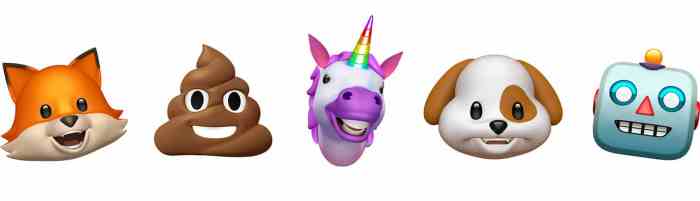
Animoji editing can take your videos to the next level, but it requires a keen eye for detail and a few key techniques. Here are some tips to help you create seamless and visually consistent Animoji videos.
Blending Animoji Characters
Blending different Animoji characters seamlessly requires careful planning and execution. Here are some strategies to make your transitions look natural:
- Use smooth transitions: Avoid abrupt cuts between characters. Instead, use slow fades, cross-dissolves, or even short animation sequences to create a more fluid experience.
- Match the characters’ expressions: When transitioning between Animoji characters, try to choose characters with similar expressions or postures. This helps maintain visual consistency and prevents jarring jumps. For example, if one character is smiling, choose a replacement character that is also smiling.
- Consider the context: The transition between Animoji characters should make sense within the context of your video. Think about the story you’re trying to tell and choose characters that complement the narrative. For example, if your video is about a playful conversation, you might use characters that reflect that mood.
Maintaining Visual Consistency
Visual consistency is key to creating a polished Animoji video. Here’s how to achieve it:
- Adjust lighting and color: Ensure that the lighting and color balance are consistent throughout the video, even when switching between characters. This helps maintain a cohesive look and feel. Consider using color correction tools in your editing software to fine-tune the lighting and color balance of your Animoji sequences.
- Pay attention to framing: Keep the Animoji characters framed consistently throughout the video. Avoid drastic changes in framing or cropping, as this can disrupt the visual flow. This also applies to the background if you are using a virtual background.
- Use consistent camera angles: Maintain a consistent camera angle to avoid making the video feel disjointed. If you need to change angles, do it gradually and smoothly to minimize the visual impact.
Editing Checklist
Before you finalize your Animoji video, here’s a checklist to ensure everything is in order:
- Review transitions: Make sure transitions between Animoji characters are smooth and visually appealing. Look for any abrupt cuts or jumps that could disrupt the viewing experience.
- Check for consistency: Ensure that the lighting, color, framing, and camera angles are consistent throughout the video. This helps create a cohesive and professional look.
- Evaluate audio: Ensure the audio is clear and balanced. If you’re using multiple Animoji characters, make sure their voices are distinct and easily understandable.
- Consider the overall flow: Review the video in its entirety to ensure that the pacing and flow are engaging. Look for any areas where the video feels rushed or slow, and make adjustments as needed.
Future Possibilities
The ability to switch Animoji characters in real-time during recording presents a compelling vision for the future of expressive communication. This feature could revolutionize the way we interact and share emotions, opening up new possibilities for creativity and personalization.
Technological Challenges
Real-time Animoji character switching would require significant technological advancements to overcome several challenges:
- Real-time facial tracking and recognition: Accurately tracking and recognizing subtle facial movements in real-time is crucial for seamlessly transitioning between characters. This requires sophisticated algorithms and powerful processing capabilities.
- Character animation and blending: Smoothly blending the animation of different characters while maintaining fidelity to the user’s facial expressions presents a complex technical challenge. This involves intricate motion capture techniques and advanced animation algorithms.
- Resource management and optimization: Real-time character switching would demand significant computational resources, potentially straining device performance. Efficient resource management and optimization strategies would be essential for ensuring a smooth and responsive user experience.
Benefits of Real-Time Character Switching
Real-time character switching would offer several benefits for users:
- Enhanced expressiveness: Users could dynamically switch between different Animoji characters to convey a wider range of emotions and personalities, adding a new layer of expressiveness to their communication.
- Increased engagement: The ability to change characters on the fly could make Animoji communication more engaging and interactive, fostering a more dynamic and dynamic experience.
- Creative storytelling: Real-time character switching could enable users to create short animated stories or sketches, adding a new dimension to creative expression.
Drawbacks of Real-Time Character Switching
Despite its potential benefits, real-time character switching could also present some drawbacks:
- Potential for distraction: Frequent character switching could potentially distract viewers from the core message being conveyed, potentially diminishing the effectiveness of communication.
- Complexity for users: Learning to navigate and utilize the real-time character switching feature could present a learning curve for some users, potentially hindering adoption.
- Privacy concerns: The advanced facial tracking required for real-time character switching could raise privacy concerns, especially regarding the collection and use of personal data.
Animoji in Different Contexts
Animoji characters, originally introduced by Apple, have become a popular form of digital expression, finding their way into various platforms and applications. These animated emojis, capable of mimicking facial expressions and movements, have transcended the boundaries of traditional messaging and communication, impacting social interactions and digital culture.
Animoji Across Platforms
Animoji characters are not limited to a single platform. They have evolved to encompass various applications and operating systems, expanding their reach and influence.
- iOS:Animoji characters were first introduced on Apple’s iOS operating system, becoming a core feature of the Messages app. Their popularity led to the expansion of the Animoji library, with more characters and features added over time.
- Android:While Animoji characters originated on iOS, Android devices have developed similar features, offering their own versions of animated emojis. Apps like AR Emoji on Samsung devices and Bitmoji on Snapchat provide users with alternative ways to express themselves through animated characters.
- Social Media:Animoji characters have seamlessly integrated into social media platforms like Instagram, TikTok, and Facebook. Users can share Animoji videos or incorporate them into their stories, enhancing their online presence and engaging with their followers.
- Video Conferencing:Platforms like Zoom and Google Meet have embraced Animoji characters, allowing users to add a touch of personality and fun to their virtual meetings. These animated characters can be used as virtual avatars, providing a more engaging and interactive experience.
Animoji in Social Media
Animoji characters have become a prominent part of social media interactions, influencing how people communicate and express themselves online.
- Expression and Identity:Animoji characters offer a playful and expressive way for individuals to convey emotions, thoughts, and even their personalities. They provide a visual element to online conversations, adding a layer of depth and personalization.
- Trendsetting and Challenges:Animoji characters have sparked numerous trends and challenges on platforms like TikTok and Instagram. Users create unique content featuring Animoji characters, engaging with others and fostering a sense of community.
- Brand Engagement:Businesses and brands have utilized Animoji characters in their social media campaigns, leveraging their popularity to create engaging content and connect with their target audiences. These animated characters can add a playful and relatable element to marketing efforts.
Cultural Impact of Animoji
Animoji characters have had a significant impact on digital culture, influencing how people communicate and perceive digital expression.
Switching Animoji characters after recording is pretty straightforward. Just tap on the Animoji you want to use and it’ll replace the one you’ve already recorded. If you’re looking to try out the latest iOS features, you can check out the iOS 17 Developer Beta, which you can install by following these steps: How to install the iOS 17 Developer Beta.
Once you’ve got it installed, you can test out the new Animoji features and see if there’s any difference in how they work!
- Digital Identity:Animoji characters have become an extension of digital identity, allowing users to express themselves through animated avatars. They provide a unique way to personalize online interactions and showcase individuality.
- Evolution of Communication:Animoji characters have revolutionized digital communication, introducing a new level of expressiveness and engagement. They have blurred the lines between traditional text-based messaging and visual communication.
- Accessibility and Inclusivity:Animoji characters have provided a platform for individuals to express themselves in ways that may be difficult or uncomfortable in real life. They offer a safe and accessible space for creative expression, promoting inclusivity and understanding.
Animoji and the Evolution of Digital Communication
Animoji, those animated emoji that mirror your facial expressions, have become a popular form of digital communication, seamlessly blending the worlds of emojis, animated characters, and real-time facial tracking technology. Their rise reflects a broader trend in digital communication, where users increasingly seek ways to express themselves more dynamically and engagingly.
The Development of Animoji
Animoji’s roots lie in the evolution of emoji, those small digital images that have become ubiquitous in digital communication. Emoji began as a way to convey emotion and meaning in text-based communication, quickly becoming a global phenomenon. The introduction of animated emojis, such as Animoji, represents a natural progression, adding a layer of visual and expressive dynamism to communication.
Animoji’s development is also closely tied to the advancements in facial recognition and motion capture technology, allowing for real-time animation that reflects subtle facial expressions.
You can’t switch Animoji characters after recording, but you can definitely try out some fun iPad features! Did you know you can use a floating keyboard? It’s super handy for multitasking and you can even adjust its size and position.
Check out How to try out iPad’s hidden floating keyboard for a quick guide. Once you’ve mastered the floating keyboard, you’ll be ready to rock those Animoji recordings!
Animoji in Digital Communication
Animoji have found their way into various aspects of digital communication, contributing to a more expressive and engaging experience. They are commonly used in:
- Messaging Apps:Animoji have become a staple in messaging apps, allowing users to add a touch of personality and humor to their conversations. Their ability to convey emotions through animated expressions has made them a popular choice for expressing feelings that are difficult to articulate in text.
- Social Media:Animoji have also found a place on social media platforms, where they are used to create short, engaging videos and GIFs that can be shared with friends and followers. Animoji’s ability to capture facial expressions adds a unique element of personalization and humor to social media posts.
- Video Conferencing:Animoji have been integrated into video conferencing platforms, allowing users to express themselves more dynamically during virtual meetings. This has proven particularly useful in situations where non-verbal communication is important, such as when expressing excitement, concern, or amusement.
Future Directions for Animoji
Animoji technology is constantly evolving, and future developments promise even more expressive and immersive communication experiences.
- Enhanced Realism:Future Animoji characters are expected to be more realistic and detailed, capturing even more subtle facial expressions and movements. This could be achieved through advancements in facial recognition and motion capture technology, resulting in more nuanced and lifelike representations of emotions.
- Interactive Animoji:The future of Animoji may involve interactive experiences, where users can control and customize their characters in real-time. This could include features like creating custom animations, adjusting character appearances, and even interacting with other Animoji characters in virtual environments.
- Augmented Reality Integration:Animoji could be integrated into augmented reality (AR) applications, allowing users to interact with their characters in the real world. This could lead to new forms of entertainment, education, and communication, where Animoji characters become part of our everyday lives.
Creative Applications of Animoji
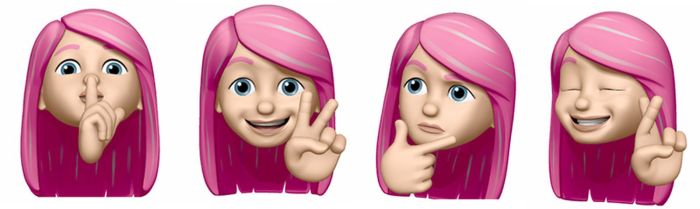
Animoji, those adorable animated emojis, are more than just a fun way to add personality to your messages. They can be used in countless creative ways, pushing the boundaries of storytelling, animation, and even marketing.
Animoji in Storytelling
Animoji can be a powerful tool for storytelling, allowing you to express emotions and nuances in a way that traditional text or static images can’t. They can be used to create short, engaging stories, or even to add depth and personality to longer narratives.
- Animated Short Films:Imagine creating a short animated film using only Animoji. The characters’ expressions and movements can bring a story to life in a unique and captivating way. You could tell a humorous tale, a heartwarming story, or even a suspenseful thriller.
- Interactive Stories:Animoji can be used to create interactive stories, where viewers can choose the direction of the narrative. This could involve using different Animoji to represent different characters or choices, allowing viewers to experience the story in a more personalized way.
- Enhanced Documentaries:Imagine using Animoji to represent different perspectives in a documentary. A fox Animoji could represent a cunning politician, while a panda Animoji could represent a peaceful activist. This can add a layer of visual storytelling to documentaries, making them more engaging and relatable.
Animoji in Animation
Animoji’s inherent animation capabilities make them perfect for creating engaging and dynamic animated content. They can be used to bring characters to life, create unique animation styles, and even tell stories without the need for traditional animation techniques.
- Explainer Videos:Animoji can be used to create explainer videos that are both informative and entertaining. The animated characters can be used to explain complex concepts in a way that is easy to understand and remember.
- Music Videos:Animoji can be used to create unique and visually appealing music videos. The characters can be used to dance to the music, create visual metaphors, or even tell a story through their movements and expressions.
- Animated GIFs:Animoji can be used to create animated GIFs that are perfect for sharing on social media. The characters can be used to express emotions, reactions, or even tell mini-stories in a fun and engaging way.
Animoji in Marketing and Advertising
Animoji can be a powerful tool for marketing and advertising, allowing brands to connect with audiences in a fun and engaging way. They can be used to create memorable campaigns, promote products, and even build brand personality.
- Social Media Campaigns:Animoji can be used to create social media campaigns that are both engaging and shareable. Brands can use Animoji to create humorous videos, animated GIFs, or even interactive stories that encourage user participation.
- Product Demonstrations:Animoji can be used to create fun and engaging product demonstrations. For example, a brand could use an Animoji to show off the features of a new smartphone or to demonstrate how to use a new app.
- Brand Mascots:Animoji can be used to create unique and memorable brand mascots. This can help brands to build a stronger connection with their audiences and to create a more engaging and personal brand experience.
Animoji in Education, How to switch Animoji characters after recording
Animoji can be a fun and engaging tool for teaching and learning, particularly for younger audiences. They can be used to bring educational concepts to life, to create interactive learning experiences, and to make learning more enjoyable.
- Interactive Lessons:Animoji can be used to create interactive lessons that are both engaging and educational. For example, a teacher could use an Animoji to teach students about different animals or to explain a complex scientific concept.
- Storytelling in the Classroom:Animoji can be used to encourage storytelling in the classroom. Students can use Animoji to create their own stories, to act out scenes from books, or to retell historical events.
- Language Learning:Animoji can be used to help students learn new languages. The characters can be used to demonstrate pronunciation, to act out dialogues, or to create fun and engaging language games.
Ethical Considerations
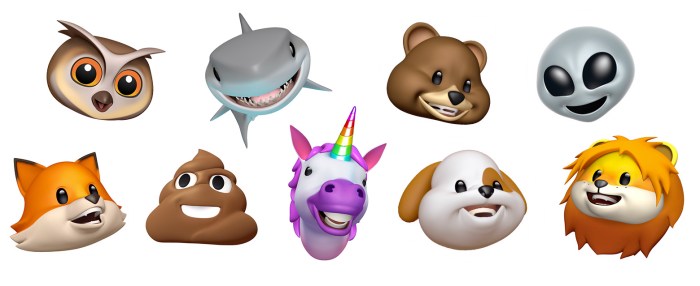
Animoji, with their ability to mimic human expressions and emotions, raise interesting ethical questions. While they offer a fun and engaging way to communicate, their potential for misuse and manipulation cannot be ignored. It’s crucial to consider the ethical implications of using Animoji characters in various contexts.
Potential for Misuse and Manipulation
The realistic nature of Animoji technology could be exploited for malicious purposes. For instance, someone could create a fake Animoji video of a public figure saying or doing something they never did. This could lead to defamation, identity theft, or even political manipulation.
Guidelines and Best Practices for Ethical Use
To mitigate the potential risks associated with Animoji technology, it’s essential to establish guidelines and best practices for their ethical use. These guidelines should aim to ensure transparency, accountability, and responsible use.
- Transparency: Users should be aware when they are interacting with an Animoji and not a real person. This can be achieved through clear labeling or disclaimers.
- Accountability: Creators of Animoji content should be held accountable for the content they produce. This could involve platforms implementing stricter content moderation policies or legal repercussions for malicious use.
- Consent: If using Animoji to depict a real person, their consent should be obtained. This is particularly important when using Animoji for commercial purposes or to create content that could be seen as defamatory.
- Education: Raising awareness about the potential risks and ethical implications of Animoji technology is crucial. This can be done through educational campaigns, workshops, and public discussions.
The Future of Animoji
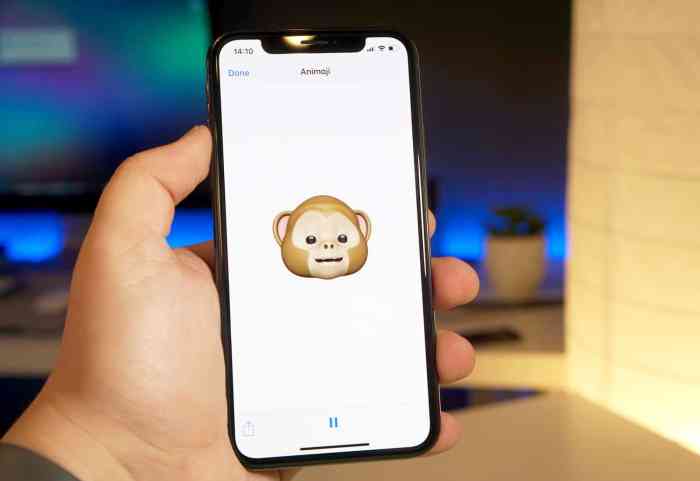
Animoji, the animated emoji that mirror your facial expressions, have quickly become a popular way to communicate and express oneself. While the current technology is impressive, the future holds even more exciting possibilities for Animoji. Imagine Animoji that are even more realistic, expressive, and interactive.
Switching Animoji characters after recording isn’t possible, but hey, at least you can make sure all your music sounds consistent! If you’re tired of your favorite songs getting drowned out by others, you can Force Apple Music to play all songs at the same volume with Sound Check.
That way, you can focus on your Animoji creations without worrying about volume fluctuations.
Advancements in Animoji Technology
The future of Animoji technology holds immense potential. Here are some key advancements we can expect to see:
- Enhanced Realism:The current Animoji are already pretty realistic, but future advancements in facial tracking and animation technology will make them even more lifelike. This could involve more detailed facial features, more nuanced expressions, and even the ability to simulate body language.
- Increased Customization:Imagine being able to customize your Animoji with different hairstyles, clothing, and accessories. This could be done through a simple interface or even by using your own photos and videos. This could even allow for the creation of personalized Animoji avatars.
- More Diverse Character Options:The current selection of Animoji characters is limited. Future versions could include a wider range of animals, mythical creatures, and even human characters. This would allow users to express themselves in even more ways.
New Features and Capabilities
Beyond the visual enhancements, future Animoji could also have new features and capabilities. For instance:
- Interactive Animoji:Imagine Animoji that can interact with their environment. This could involve Animoji characters that can respond to your voice commands or even interact with other Animoji characters. Think of it as a virtual pet or companion that you can control with your face.
- Animoji with Augmented Reality:The combination of Animoji and Augmented Reality (AR) could lead to some truly innovative experiences. Imagine being able to place Animoji characters in the real world through your camera. This could allow you to have Animoji characters interact with your surroundings and even with other people.
- Animoji for Virtual Reality:Virtual Reality (VR) could also play a role in the future of Animoji. Imagine being able to interact with Animoji characters in a virtual environment. This could lead to new and immersive ways to communicate and entertain.
Emerging Trends and Opportunities
The field of Animoji and related technologies is constantly evolving. Here are some emerging trends and opportunities:
- Animoji for Education:Animoji could be used to create engaging and interactive educational content. Imagine using Animoji characters to teach children about different subjects or to help students learn a new language.
- Animoji for Healthcare:Animoji could also be used in healthcare. For example, they could be used to help patients with communication difficulties or to provide emotional support. Imagine a child who is afraid of needles being comforted by a friendly Animoji character.
- Animoji for Business:Animoji could also be used in business. For example, they could be used to create engaging marketing campaigns or to provide customer service. Imagine a company using Animoji characters to interact with customers on social media.
Conclusive Thoughts
Mastering the art of Animoji editing opens up a whole new world of creative possibilities. Whether you’re making a funny video for your friends, creating engaging content for social media, or even experimenting with storytelling, Animoji can help you bring your ideas to life.
So, grab your iPhone, explore the editing tools, and get ready to unleash your inner Animoji master!
Key Questions Answered
Can I switch Animoji characters in real-time?
Unfortunately, no. Apple’s current Animoji technology doesn’t allow for real-time character switching during recording.
What are some popular video editing apps for Animoji?
iMovie, Adobe Premiere Pro, and Final Cut Pro are all great options for editing Animoji videos.
Are there any free editing tools for Animoji?
Yes, there are many free video editing apps available for both iOS and Android devices, such as InShot and KineMaster.
What are the benefits of using editing software for Animoji?
Editing software allows you to seamlessly blend different Animoji characters, add special effects, and create a more polished final product.
 Hubungi Kami di WhatsApp