
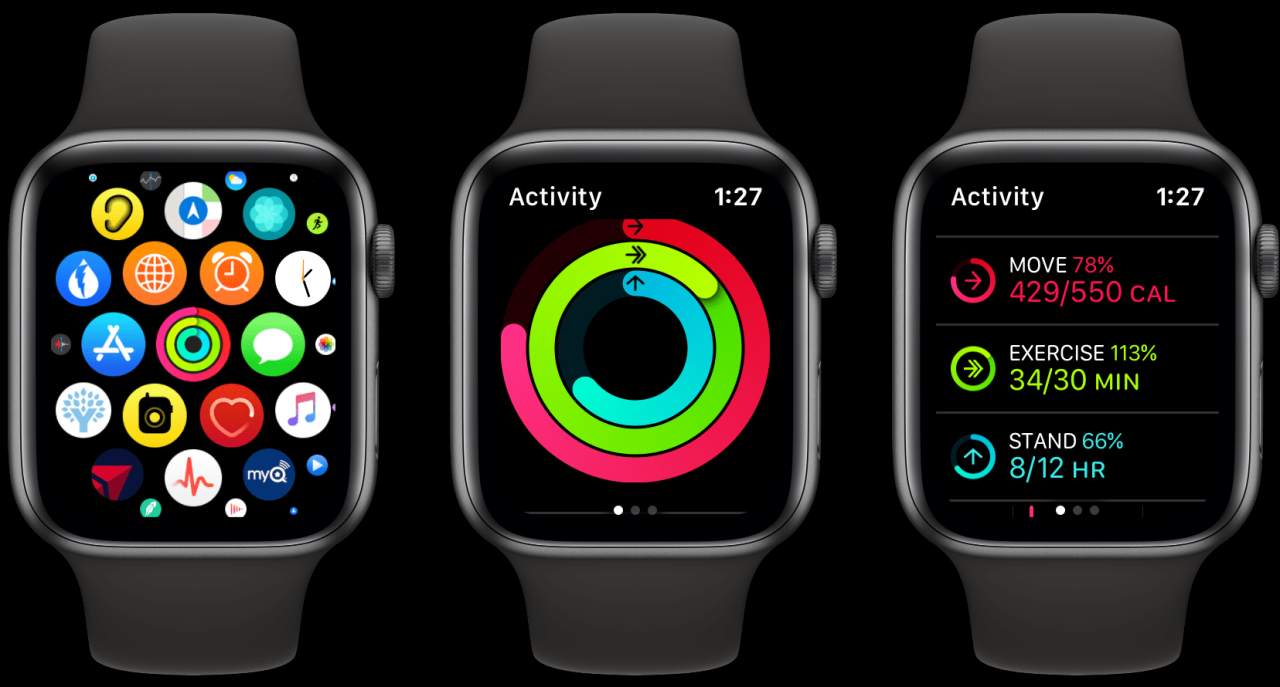
Why Your Apple Watch Credits You With Fewer Calories Than You Expect
Why your Apple Watch credits you with fewer calories than you expect is a common question among fitness enthusiasts. While Apple Watch is a powerful tool for tracking your activity and health, its calorie estimates might not always be spot-on.
This discrepancy can be attributed to several factors, including individual differences, environmental conditions, and the inherent limitations of technology.
The Apple Watch utilizes a combination of heart rate, movement, and activity data to estimate calories burned. However, these calculations can be influenced by variables such as your metabolism, fitness level, and the intensity of your workout. For instance, if you’re engaging in activities that involve a lot of muscle exertion, such as weightlifting or high-intensity interval training, the Apple Watch might underestimate your calorie burn.
Understanding Apple Watch’s Calorie Tracking
The Apple Watch uses a combination of sophisticated sensors and algorithms to estimate the number of calories you burn during your daily activities. While it strives to be accurate, there are several factors that can influence the calorie count, leading to discrepancies between the watch’s estimate and your actual calorie expenditure.
Methods for Estimating Calories Burned
The Apple Watch employs a multi-pronged approach to calculate calories burned, relying on data from various sensors and algorithms.
- Heart Rate Monitoring:The watch continuously tracks your heart rate, which is a key indicator of your metabolic rate and energy expenditure. Higher heart rates generally correspond to increased calorie burn. The watch uses this data to estimate the calories burned during workouts and other activities.
- Movement Tracking:The watch’s accelerometer and gyroscope track your movement patterns, including steps taken, distance covered, and the intensity of your movements. This information is used to estimate the calories burned during activities like walking, running, and swimming.
- GPS Data:When you engage in outdoor activities like running or cycling, the watch uses GPS to track your route and distance, providing more accurate estimations of calories burned. This is especially helpful for activities with varying terrain and intensity levels.
- Activity Recognition:The watch utilizes machine learning algorithms to recognize different types of activities, such as walking, running, swimming, cycling, and even dancing. This helps the watch to provide more precise calorie estimates by factoring in the specific activity you’re performing.
Factors Influencing Calorie Estimates
While the Apple Watch does a decent job of tracking your activity and estimating calories burned, it’s important to understand that these estimates aren’t always perfect. Several factors can influence the accuracy of these calculations, resulting in lower calorie estimates than you might expect.
The Apple Watch uses a combination of sensors, algorithms, and user-provided data to estimate calorie burn. However, this process is complex and can be affected by individual differences and environmental factors. Understanding these factors can help you interpret your calorie estimates more effectively and adjust your activity accordingly.
Ever wonder why your Apple Watch seems to be undercounting your calories burned? It could be down to a few factors, like your individual metabolism or the type of workout you’re doing. But hey, at least you can create killer playlists to keep you motivated during those workouts! Check out this article on How to create smart playlists in Apple Music on iOS finally to make sure your workout jams are always on point.
And while you’re jamming out, don’t forget that those calorie estimates are just a guide, so keep your diet and exercise routine in check!
Individual Differences
Individual differences in metabolism and fitness levels significantly impact calorie expenditure.
The Apple Watch considers your heart rate, movement, and other metrics to estimate calorie burn. However, these metrics can vary greatly from person to person. For example, a person with a higher metabolic rate might burn more calories at rest than someone with a lower metabolic rate.
Similarly, individuals with different fitness levels will burn varying amounts of calories during the same activity.
- Metabolic Rate:The rate at which your body burns calories at rest, influenced by factors like age, gender, genetics, and body composition.
- Fitness Level:Your fitness level influences how efficiently your body uses energy. Individuals who are more fit may burn fewer calories for the same activity than those who are less fit.
Environmental Factors
Environmental factors, such as temperature and altitude, can also influence calorie expenditure.
Your body needs to work harder to maintain its core temperature in extreme conditions. For example, exercising in hot weather requires your body to expend more energy to cool itself down. Similarly, exercising at higher altitudes can lead to increased calorie burn due to thinner air and reduced oxygen levels.
- Temperature:Your body expends more energy to maintain its core temperature in hot or cold environments.
- Altitude:Exercising at higher altitudes can lead to increased calorie burn due to thinner air and reduced oxygen levels.
Accuracy of Apple Watch Calorie Tracking: Why Your Apple Watch Credits You With Fewer Calories Than You Expect
The accuracy of Apple Watch calorie tracking has been a topic of much debate, with some users finding it reliable and others experiencing significant discrepancies. While the Apple Watch is a powerful tool for fitness tracking, it’s essential to understand its limitations and the factors that can influence its calorie estimates.
Scientific Studies and Research
Several scientific studies have investigated the accuracy of Apple Watch calorie tracking, with varying results. Some studies have found that the Apple Watch can accurately track calories burned during exercise, particularly for activities like running and cycling. However, other studies have shown that the Apple Watch can underestimate or overestimate calorie expenditure, particularly for less structured activities like walking or housework.
So, you’re wondering why your Apple Watch isn’t giving you the calorie burn you deserve? It’s probably because your heart rate isn’t as high as you think it is. But before you start blaming the watch, consider this: Maybe you’re being tracked by something else.
If you’re concerned about privacy, check out this article on how to tweak your iPhone location settings to keep those digital eyes off of you. Once you’ve taken care of that, you can focus on getting that calorie count up and hitting those fitness goals!
A study published in the journal “Sensors” in 2020 found that the Apple Watch overestimated calorie expenditure by an average of 10% during moderate-intensity exercise.
Real-World Examples and Experiences
Many users have shared their experiences with Apple Watch calorie tracking, highlighting both its strengths and weaknesses. Some users have reported that the Apple Watch accurately tracks their calorie expenditure, particularly for activities they regularly engage in. Others have experienced significant discrepancies, with the Apple Watch underestimating or overestimating their calorie burn, especially during activities that involve a lot of movement or variability.
One user shared their experience on an online forum, stating that the Apple Watch significantly underestimated their calorie burn during a hike, reporting only half the calories they burned according to a heart rate monitor.
Comparison to Other Fitness Trackers
The accuracy of Apple Watch calorie tracking compares favorably to other fitness trackers, such as Fitbit and Garmin. While all fitness trackers have limitations, the Apple Watch generally performs well in terms of calorie tracking accuracy, especially when considering its overall features and user-friendliness.
However, it’s crucial to note that the accuracy of any fitness tracker can vary depending on factors like individual physiology, activity type, and environmental conditions.
A comparison study published in the “Journal of Strength and Conditioning Research” in 2018 found that the Apple Watch provided comparable calorie estimates to other popular fitness trackers, with a slight tendency to overestimate calorie expenditure.
Understanding Calorie Expenditure
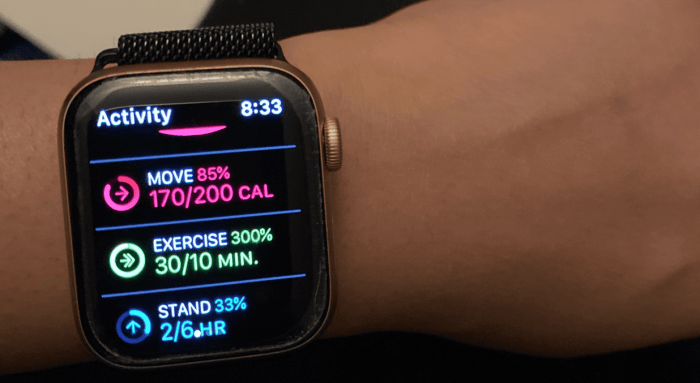
The Apple Watch, while a fantastic tool for tracking fitness, might not always accurately reflect the number of calories you burn. Understanding how calories are burned and the factors that influence calorie expenditure is crucial to interpreting your Apple Watch data.
Factors Influencing Calorie Expenditure
Calorie expenditure is the total number of calories you burn throughout the day. It’s influenced by several factors, including your Basal Metabolic Rate (BMR) and your physical activity levels.
Basal Metabolic Rate (BMR)
Your BMR represents the number of calories your body burns at rest to maintain essential functions like breathing, circulation, and cell function. It’s influenced by factors such as:
- Age:BMR tends to decline with age.
- Gender:Men typically have a higher BMR than women due to their higher muscle mass.
- Height:Taller individuals have a higher BMR because they have a larger surface area.
- Weight:Heavier individuals have a higher BMR because their bodies need more energy to support their weight.
- Body Composition:Muscle tissue burns more calories at rest than fat tissue.
Physical Activity
The calories you burn through physical activity are added to your BMR to determine your total daily calorie expenditure. The amount of calories you burn during physical activity depends on the intensity and duration of the activity.
Calorie Burn for Various Activities
The table below provides an approximate calorie burn for various activities, categorized by intensity and duration:
| Activity | Intensity | Duration | Approximate Calories Burned |
|---|---|---|---|
| Walking | Moderate | 30 minutes | 150-200 calories |
| Running | Vigorous | 30 minutes | 300-400 calories |
| Swimming | Moderate to Vigorous | 30 minutes | 250-350 calories |
| Cycling | Moderate to Vigorous | 30 minutes | 200-300 calories |
| Weightlifting | Vigorous | 30 minutes | 250-350 calories |
Calorie Tracking for Weight Management
Calorie tracking is a fundamental aspect of weight management and achieving fitness goals. It involves monitoring your daily calorie intake and expenditure to understand your energy balance, which is crucial for either weight loss, weight gain, or maintenance.
So, your Apple Watch is telling you you burned fewer calories than you thought? Yeah, that’s a common complaint. It’s all about how the watch measures movement, which can be a little off. Speaking of measuring things, Micro.blog now lets you post videos , so you can actually show people how much you’re moving! Maybe that’ll help you convince your Apple Watch to give you some more credit.
Setting Realistic Calorie Goals
Setting realistic calorie goals is essential for sustainable weight management. This involves considering your individual needs, including your age, gender, activity level, and current weight.
- Calculate Your Basal Metabolic Rate (BMR):Your BMR is the number of calories your body burns at rest. Online calculators or apps can help you estimate your BMR based on your personal information.
- Consider Your Activity Level:Your activity level significantly impacts your calorie expenditure. The more active you are, the more calories you burn.
- Set a Calorie Deficit or Surplus:For weight loss, aim for a calorie deficit of 500-1000 calories per day. For weight gain, aim for a calorie surplus of 250-500 calories per day.
Maintaining a Healthy Lifestyle
While calorie tracking is important, it’s crucial to remember that it’s just one piece of the puzzle. A holistic approach to weight management involves a combination of factors, including:
- Balanced Diet:Prioritize nutrient-rich foods like fruits, vegetables, whole grains, and lean proteins.
- Regular Exercise:Aim for at least 150 minutes of moderate-intensity aerobic activity or 75 minutes of vigorous-intensity aerobic activity per week.
- Hydration:Drink plenty of water throughout the day, as it helps with satiety and overall health.
- Adequate Sleep:Aim for 7-9 hours of quality sleep per night. Sleep deprivation can disrupt hormone balance and lead to increased appetite and calorie intake.
Optimizing Apple Watch Calorie Tracking
You might be wondering how to get the most out of your Apple Watch’s calorie tracking. There are several steps you can take to improve the accuracy of your calorie estimates and ensure you’re getting a personalized view of your activity levels.
Calibrating the Device for Individual Fitness Levels
Calibrating your Apple Watch for your individual fitness level can greatly improve the accuracy of its calorie estimates. Here’s how:
- Complete a calibration workout:The Apple Watch uses your heart rate data to estimate calories burned. You can improve its accuracy by completing a workout with a known calorie expenditure, like running on a treadmill.
- Regularly engage in different types of exercise:The Apple Watch learns your fitness level by analyzing your heart rate data during workouts.
Regularly engaging in different types of exercise, such as running, swimming, and strength training, helps the device better understand your individual fitness level.
Customizing Activity Profiles and Settings
You can also customize your Apple Watch’s activity profiles and settings to better reflect your individual needs and preferences. This includes:
- Adjusting your workout intensity levels:The Apple Watch uses your heart rate data to estimate calories burned. By adjusting your workout intensity levels, you can ensure that the device is accurately accounting for your effort. For example, if you are doing a high-intensity workout, you may want to adjust the intensity level to “High” to ensure that the device is accurately tracking your calories burned.
- Adding custom workouts:If you engage in activities that aren’t already included in the Apple Watch’s default workout list, you can add custom workouts. This ensures that the device accurately tracks your calories burned for those activities.
Beyond Calorie Tracking
While the Apple Watch’s calorie tracking is a valuable feature, it’s just one piece of the puzzle when it comes to overall fitness and health monitoring. The Apple Watch offers a suite of features designed to help you live a healthier life.
Heart Rate Monitoring, Why your Apple Watch credits you with fewer calories than you expect
The Apple Watch continuously monitors your heart rate, providing valuable insights into your cardiovascular health. This data can be used to track your heart rate variability, identify potential arrhythmias, and even detect signs of a heart attack.
Sleep Tracking
Sleep is crucial for physical and mental well-being, and the Apple Watch can help you understand your sleep patterns. It tracks your sleep duration, sleep stages (light, deep, and REM), and even your heart rate during sleep. This information can help you identify potential sleep disorders and make adjustments to your sleep routine.
Fall Detection
The Apple Watch includes a fall detection feature that can automatically detect a hard fall and alert emergency services if you’re unable to do so yourself. This feature can be a lifesaver for individuals at risk of falls, such as older adults or those with mobility issues.
Other Health and Fitness Features
The Apple Watch offers a range of other health and fitness features that can enhance your well-being. These include:
- Electrocardiogram (ECG):The Apple Watch can perform an ECG to detect atrial fibrillation, a common type of irregular heartbeat.
- Blood Oxygen Monitoring:The Apple Watch can measure your blood oxygen levels, which can be an indicator of respiratory health.
- Noise Monitoring:The Apple Watch can monitor noise levels in your environment and alert you to potentially harmful levels.
- Workout Tracking:The Apple Watch can track a variety of workouts, including running, cycling, swimming, and yoga. It provides detailed metrics such as distance, pace, heart rate, and calories burned.
- Activity Tracking:The Apple Watch tracks your daily activity levels, including steps taken, calories burned, and minutes of exercise.
- Reminders and Notifications:The Apple Watch can send you reminders to stand up, move around, and drink water, helping you maintain a healthy lifestyle.
Summary of Apple Watch Health and Fitness Features
| Feature | Description | Benefits |
|---|---|---|
| Heart Rate Monitoring | Continuously monitors heart rate. | Tracks heart rate variability, identifies potential arrhythmias, and detects signs of a heart attack. |
| Sleep Tracking | Tracks sleep duration, stages, and heart rate during sleep. | Identifies potential sleep disorders and helps optimize sleep routine. |
| Fall Detection | Automatically detects hard falls and alerts emergency services. | Provides safety for individuals at risk of falls. |
| Electrocardiogram (ECG) | Performs an ECG to detect atrial fibrillation. | Early detection of heart arrhythmias. |
| Blood Oxygen Monitoring | Measures blood oxygen levels. | Indicates respiratory health. |
| Noise Monitoring | Monitors noise levels in the environment. | Alerts to potentially harmful noise levels. |
| Workout Tracking | Tracks various workouts and provides detailed metrics. | Provides insights into workout performance and progress. |
| Activity Tracking | Tracks daily activity levels. | Motivates users to stay active and maintain a healthy lifestyle. |
| Reminders and Notifications | Sends reminders to stand up, move around, and drink water. | Promotes healthy habits and well-being. |
Conclusion (Optional)
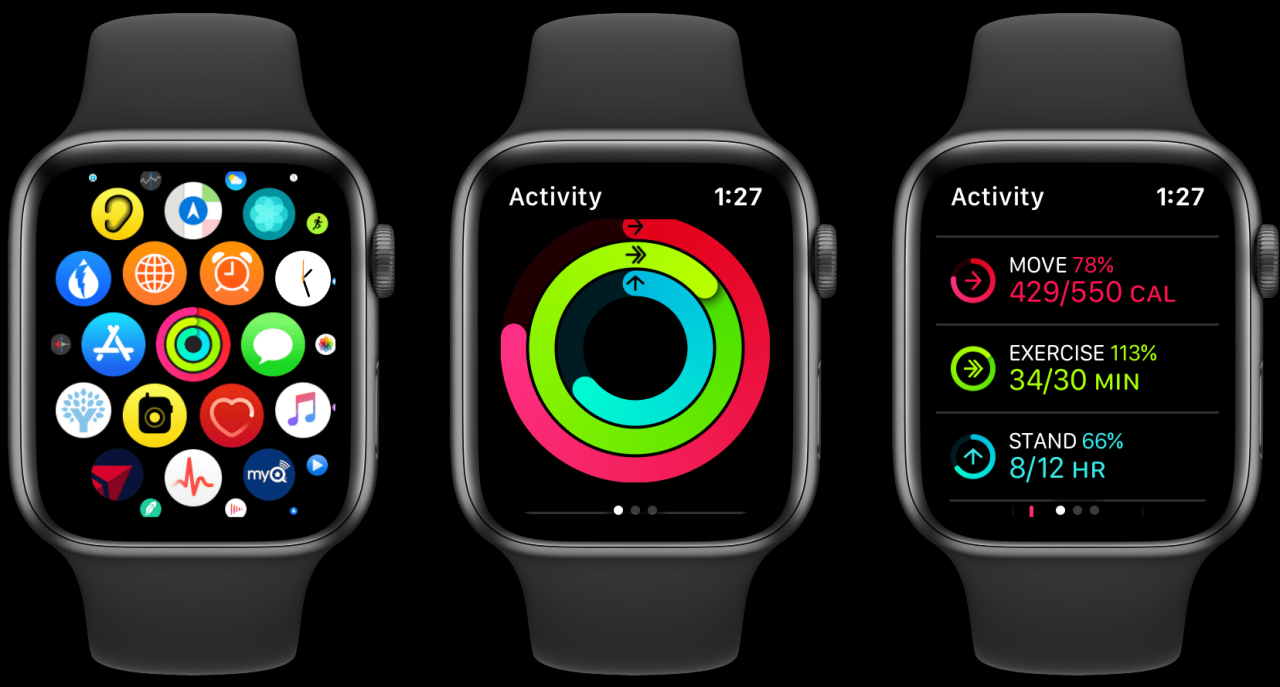
While the Apple Watch is a powerful tool for tracking your fitness progress, it’s crucial to remember that calorie estimates are just that: estimates. Factors like your individual metabolism, workout intensity, and environmental conditions can all influence your actual calorie burn.
Ultimately, the most effective way to use the Apple Watch for calorie tracking is to understand its limitations and use it as a guide, rather than a definitive measure. By focusing on consistency, making informed choices, and prioritizing your overall health, you can use the Apple Watch to achieve your fitness goals.
Closing Summary
While the Apple Watch can be a helpful tool for tracking your fitness progress, it’s essential to understand its limitations and to consider the factors that can influence its calorie estimates. By being aware of these nuances, you can make informed decisions about your fitness journey and use the Apple Watch as a valuable tool, but not as the sole source of truth for your calorie expenditure.
Frequently Asked Questions
How accurate is Apple Watch calorie tracking?
The accuracy of Apple Watch calorie tracking can vary depending on individual factors and the type of activity. While it provides a general estimate, it’s not always precise.
Can I rely solely on Apple Watch for calorie tracking?
It’s best to use the Apple Watch as a tool to track your activity and calorie burn but not as the sole source of information. Consulting a healthcare professional or a certified fitness expert can provide more personalized guidance.
What are some tips to improve Apple Watch calorie tracking accuracy?
You can calibrate your Apple Watch for your individual fitness level, customize activity profiles, and ensure accurate heart rate readings.




 Hubungi Kami di WhatsApp